Ah, thanks!
Unfortunately the code looked better than it worked…
For reviews, I got this:
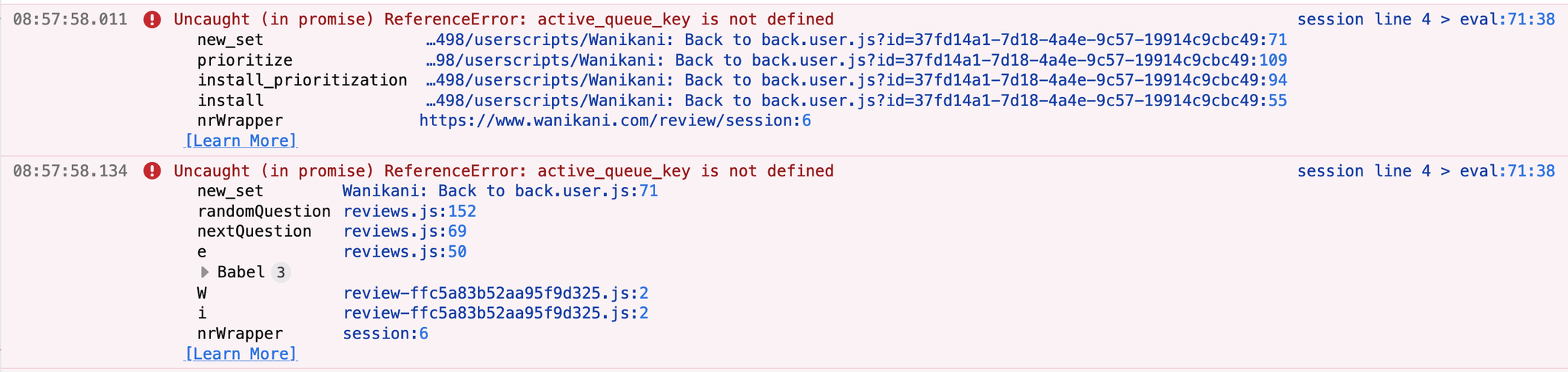
and the screen remains stuck on the 考えている crabigator.
For lessons, my first lesson was for meaning although I prioritized reading. I opened the settings and saved them again which caused the UI to switch to reading, but the edit field would not convert to Kana. So I entered Kana manually via IME but the correct answer still failed that quiz. (So I suspect it was still looking for the meaning.) Interestingly, opening the information panel showed the reading info 
After that, I could not proceed to the next question (it would keep the input in the input field and show me the red “wrong answer” indicator). After pressing return a few times, it switched the question to another word but still showed me the previous input and the red field.
I do have other scripts enabled ofc but they all played along nicely with Back2Back in the previous version.
Hello,
I have no idea why but about 2 hours ago this script stopped working for me. By that I mean that when I start reviews or “Recent Mistakes” the browser hangs while loading the page. Tried in Brave and Firefox. Same behavior in both browsers. Works without problem when I disable this script. Also in both browsers.
Is there anything I can do?
Really love this script!
Thanks!
I think right now it is broken for good, and Kumi might still be asleep… But what you can do for the time being is revert to the previous version: If you go to the script’s Greasyfork page, there is a “History” tab near the top where you can select the previous version (click on the version number you like) and then reinstall that.
Thank you! Will try that…
Version 1.2.2 works. Thanks for your help!
I am not sure if I’d tried that myself because it says updated 16 (or so) hours ago and here it worked 3 hours ago and then all of a sudden not anymore.
Anyway… Thanks Nicole for the nice and super quick support! And thanks to Kumi for the script! It makes my life SO much better! (If only the default would be that reading comes first. Settings aren’t saved for me so I have to alter the code. But of course I understand that a “neutral” version makes more sense…)
Have a wonderful one!
Y-you’re Math.random!
No worries, glad I could help! Happy reviews 
@NicoleIsEnough @miya_maru Sorry about that. I was testing it with Reorder Omega, which has the same feature but the variable names are slightly different. Version 1.2.5 should fix it
Yep, can confirm that it works again for reviews. Thanks for the quick fix!
I’ll try it on lessons tomorrow morning and will report back if there are any issues.
Works! Thank you!
Thanks for the fix! Everything went haywire during reviews for a bit prior to.
I apologize for asking this here but I don’t really know where else to ask… and you guys proved to be nice people.
This is not about the Back to Back script but about Violentmonkey. It’s just not working anymore. To be exact… it isn’t for WaniKani in chrome based browsers. It seems ok in Firefox. It worked yesterday in Brave. Today it just doesn’t anymore.
I installed Tampermonkey. Also doesn’t work. I installed Violentmonkey in Chromium - nope. I disabled all scripts other than Back to Back, still not working.
Is there any way one of you can help me? Lead me to the right place to ask this question. Give me advice what else to try. Whatever it is I’d be very grateful for any kind of advice!
Thank you!
Did you install WKOF?
Yes, WKOF was installed. The very same system worked the day before. I reviewed some kanji right before I went to bed and in the morning when I came back it just didn’t work anymore.
It took me a full day to finally find out that Brave Shields must have blocked something. I still do not really understand the problem but at least it’s working again.
Thanks, Kumirei for your reply! And thanks for your scripts - I use more than just this one.
Have a great day!
The latest update broke reviews. Typed in the reading, hit enter, gets marked, but doesn’t move ahead and just freezes.
Sorry about that, I made a mistake when adding an update I made in the Omega version of this script. Should be fixed now
No worries! Thanks for sorting that out. I’ll report back if anything wonky turns up when my reviews come in.
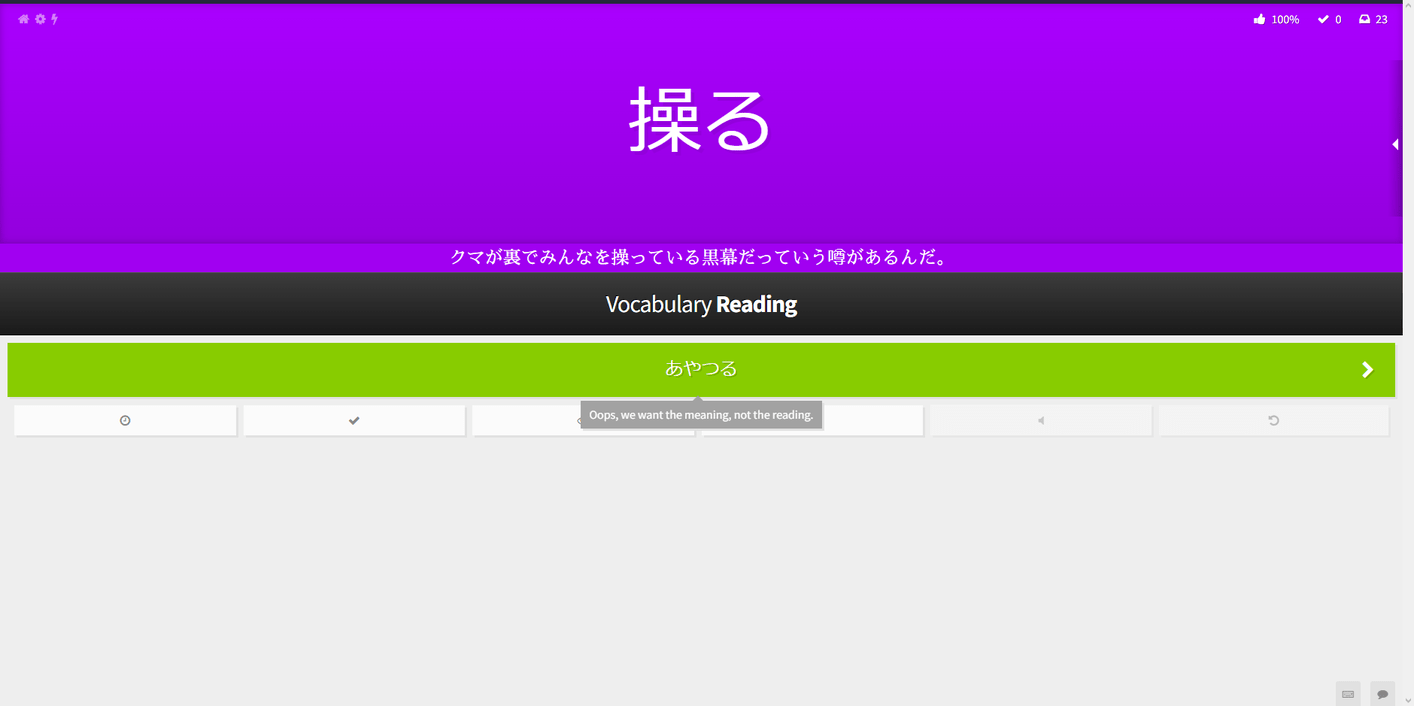
 . I caught a screenshot this time however.
I am not able to replicate this. When it happens can you open the console and check for errors? F12 → Console