The UI up to the new update was good to me and I didnt had any issues with it, especially with some community additions that let me know what the next months will look like. The new UI broke that one but I get that. The thing I dont get is how come things aren’t alligned well anymore and look worse than before. Usually I love it when UI gets changed as it feels fresh.
The beef I have is with the “next week broadcast”. It used to be insanely useful and easy to read. Not it’s visually ehm not the best, but really the functionality sucks. I need to press buttons to do what I was able to do before without. It means I need more work to just get the basic information of when will I need to go online for the next reviews. The UX of it is terrible.
Well that was my rant, I’m curious if others feel the same way and if we can reverse the next week broadcast as it’s no more something I use as it takes way too much clicking and I ended up not doing my reviews on time no more as a result. It’s weirdly making me downspiral and I now need to make an effort not to forget to check for reviews
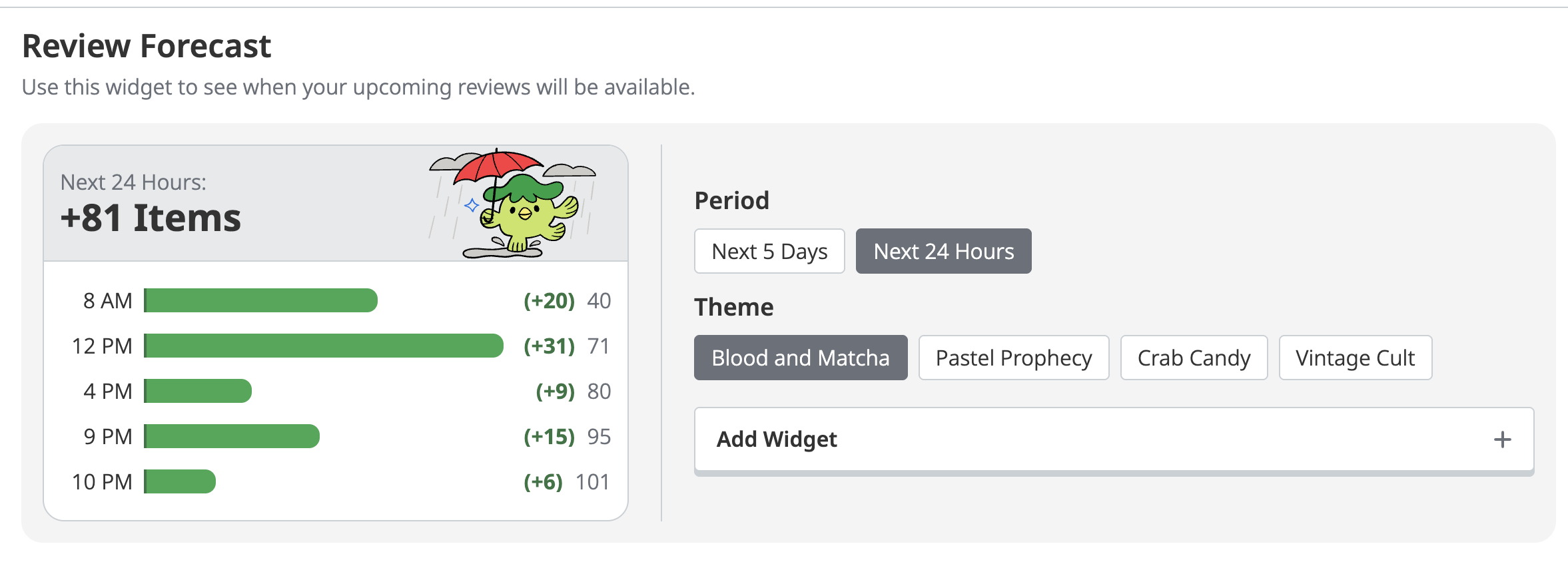
We added a “Next 24 Hours” option to the Reviews Forecast widget that allows you to see the next 24 hours of reviews scheduled without requiring an extra click.
You can either replace the “Next 5 Days” widget with this one or add it as an additional widget so you have access to both views. If you haven’t tried customizing your dashboard yet, you can do that here.
Here is a snapshow of my dashboard from a PC browser.
I saw recently and added the ‘Item Spread’ that allows me see the number of burned items: and also 2 versions of ‘Current Reviews’ - ‘Past 7 Days’ and ‘Today’.
I really like it!
Not sure about some hovering or kanji size quibbles but overall I like the new look and it is functional for me.
Thanks! In case you haven’t seen it, Koichi made another post where he gives some more detail on what’s ahead, including our response to the hover feedback:
Love that but it doesnt fix anything about what I said. But I do love that, it’s a really neat feature to have. The reason I got wanikani and always tell people to get it is that it’s saving time and easy to use. I hope the updates in the future can do that. Visuals and eye candy are neat. Me spending as little time as needed on learning kanji is the priority. The other change you said koichi is talking about is exactly that, it’s making learning easier, love that one even more. The only real issue I got with the UI is that it takes more steps to see the reviews for the day
The thing that’s bothering me most is not being able to find out when individual Kanji will be ready for review again. It’s pretty demoralising and has really broken my Wanikani habits. It feels like I’m doing reviews blind.