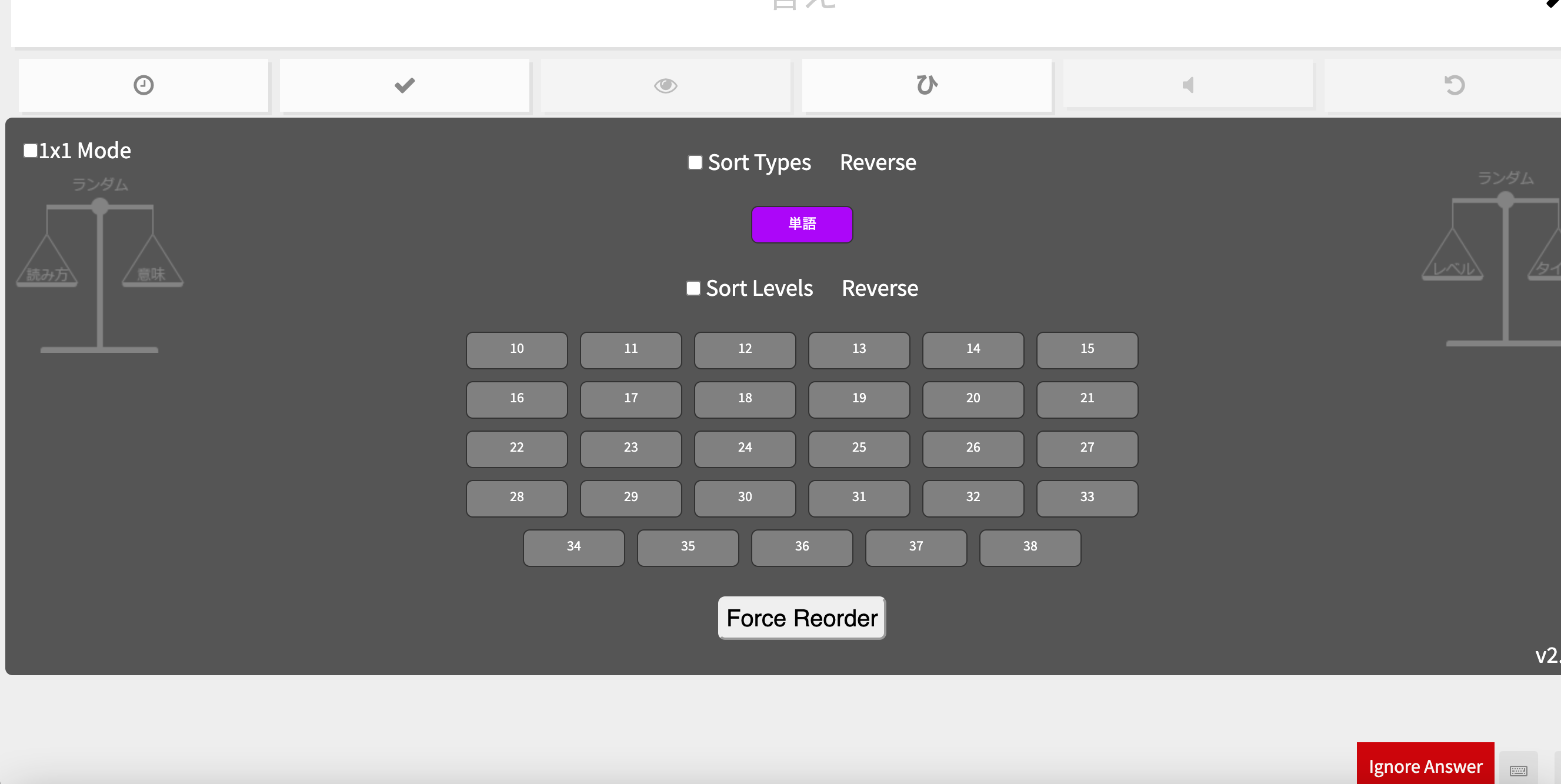
Hello,
I don’t know which script it is, but I had one that allowed me to see what levels I have during the reviews. It disappeared when I downloaded the “reorder omega”. Sometimes just when I start my reviews, I see the list of levels on the bottom but it disappears soon after. I was able to get a screen shot before it disappeared each time I refresh to start the reviews.
How can I get it back?
Thanks!
That’s Reorder Ultimate 2. It’s no longer supported, though it still currently works if you have Script Compatibility Mode turned on in your Wanikani settings.
It’s probably not a good thing to have two reorder scripts running, though.
Thanks for the info. I just checked and the compatibility mode is turned on. Does that mean we can no longer see the levels in our reviews?
The levels should still show up with compatibility mode on, but I guess if something else is interfering with it, then you’re stuck with what you get. Unless someone figures out how to eliminate the conflict, anyway.
Reorder Ultimate 2 works perfectly well for me in compatibility mode so it’s likely that you have scripts that are conflicting. Here’s a list of all the WaniKani scripts that I have installed and the order that they are loaded in:
At least none of these scripts cause any conflict with Reorder Ultimate 2.
Good luck fixing the issue!
Thanks for everyone’s help!
You guys are right, I do have multiple “reorders” operating: ultimate 2 and omega and they are probably interfering with each other.
I initially had ultimate 2 but downloaded omega because I was getting the answers wrong despite it being correct in the lessons.
And as soon as that was fixed I wasn’t able to see the levels in the review pile until I turned off the omega.
BIG THANKS!!!