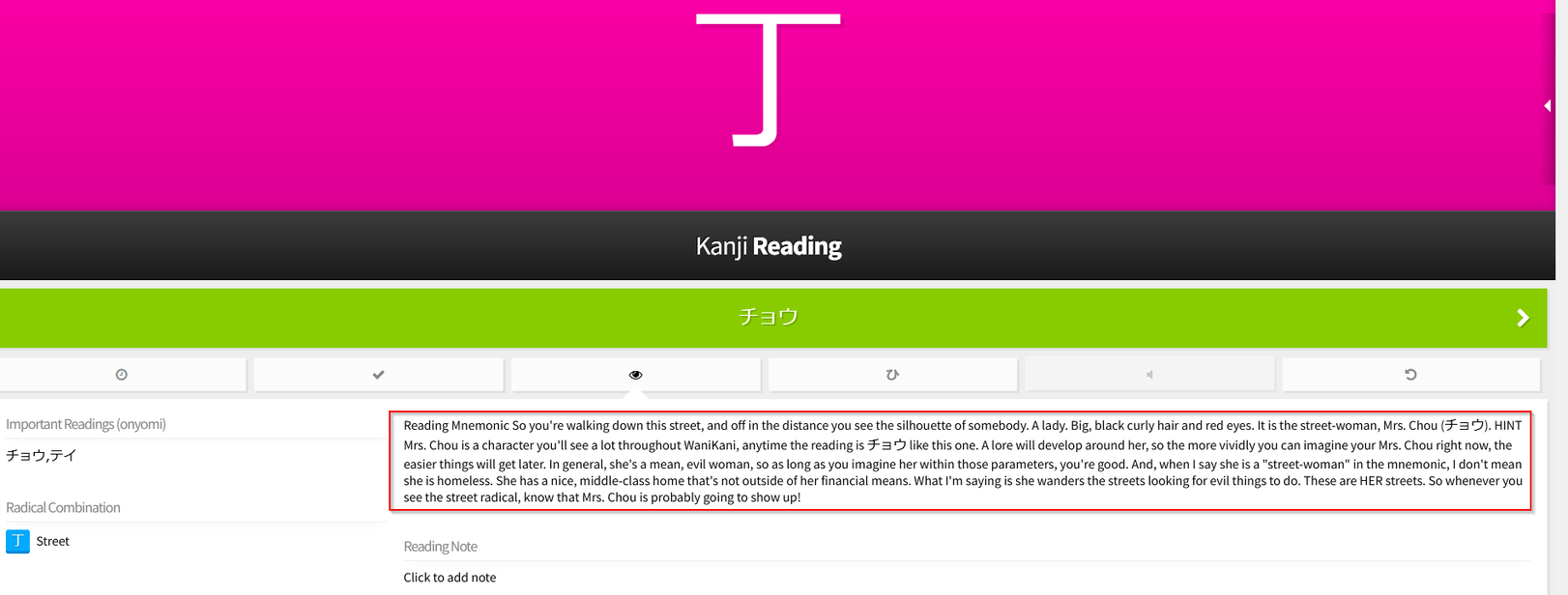
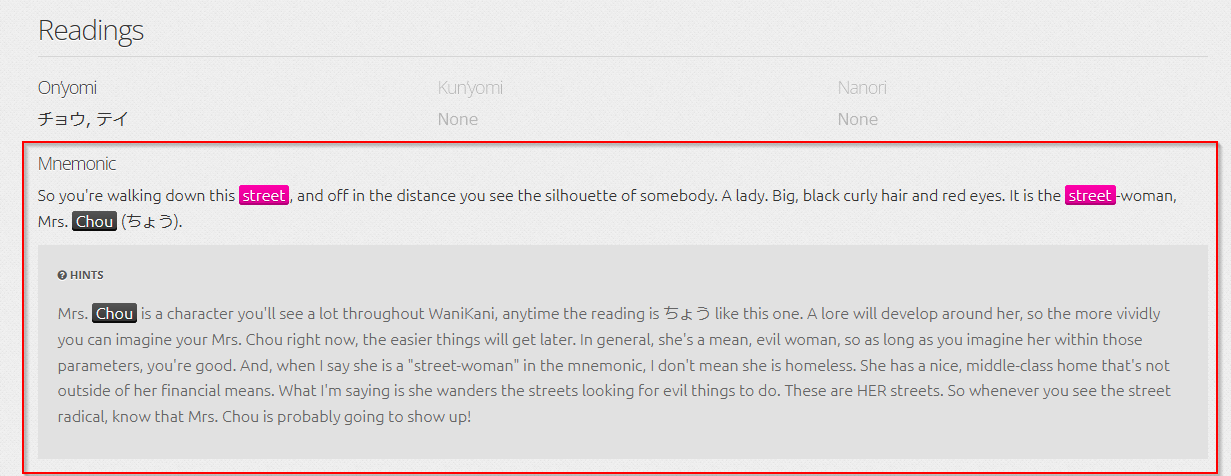
I would to talk about a problem that is making me crazy. Randomly the reading note is wrongly displayed (see attachment). It seems to be caused when adding a personal note, BUT I’ve tried everything and I couldn’t find a way to reproduce this display bug.
I have found a workaround to fix this, I have to search the “broken” kanji in the main menu, then in next review the note (with colors and highlighting) will be fine.
Do have any suggestion? any help will be super welcome! I have to “repair” one kanji after another, it is really time consuming
PS I use Firefox (v100.0.2) and a fiber connection (so it’s not network related problem).
Ok, it’s Katakana Madness specifically that has been causing users some issues. I can’t see any obvious problem scripts in your list. Most likely it’s a script that is causing it, though, so you might need to try disabling scripts until it stops happening
One potential problem that I noticed in your userscript list is that the automatic updates for WaniKani Item Info Injector are disabled and you are still on version 1.3 (while the newest version is 1.4).
Yes, it seems working so far! So I’ve updated the script «Wanikani Item Info Injector» and I’ve deactivated the script «Wanikani katakana Onyomi». Thanks everyone for the help!