This may or may not help, but my Gboard setup in preferences is below (note, I have Portuguese and Ukrainian keyboards active as well) followed by an example use.
For Flaming Durtles I prefer GODAN for kana entry. The first time I get kana entry after the app gets reloaded (which means not necessarily every session, but the first session after it gets moved out of memory or manually swiped away from the app overview), I will have to switch to GODAN for Japanese input. After that, it auto-switches between QWERTY (which happens to be swipable for either English or Portuguese in my case, but that shouldn’t matter) and GODAN.
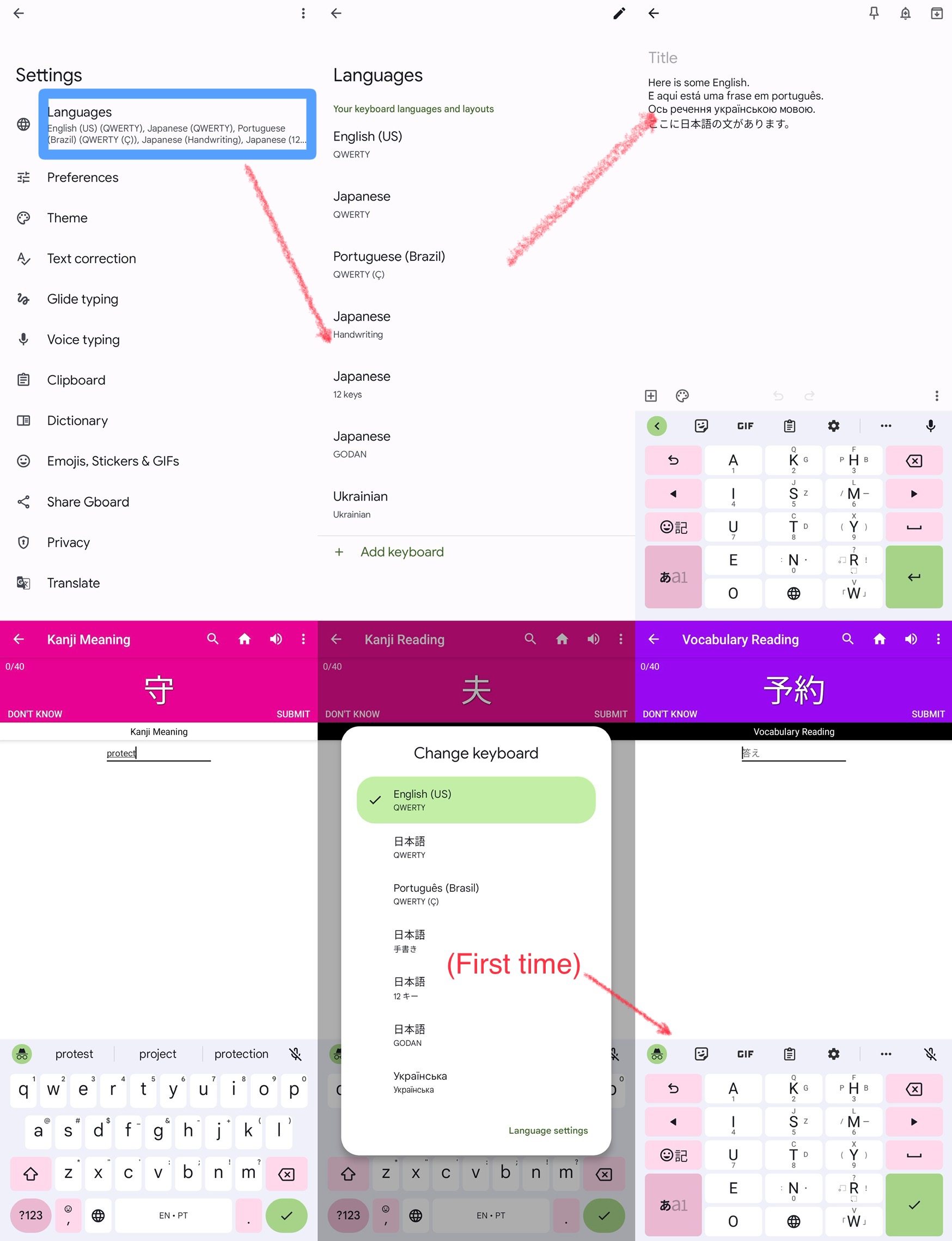
(Oops—I thought I had a highlight in the lower-left [fourth] screenshot on the
 key, but I must have forgotten. Holding that down is how I got the “Change keyboard” button for 夫 in the next screen.)
One reason I like GODAN for this is that it never autocompletes to a kanji (you have to select from the ribbon every time), so you can just hit the green ✓ button twice to check a reading.