Seems to me that such a feature would be outside the scope of the framework. It’s a problem better solved with other scripts.
Also, thank you for the file cache methods. I am looking to store minified review data in IndexedDB for the heatmap and it makes things so much easier.
Suggestion: let settings inherit path properties.
To keep the Heatmap settings ordered, I override all setting paths. Although it’s not a big deal to add the path to all settings, it would be simpler if I could put the path on a higher level item. In this case it would be nice if I could just put path: '@lessons' in the page config, and it would automatically place the contained settings in that path.
Came upon this issue again with the new version of the Heatmap, haha. Good thing I could look back at this and be reminded why it wasn’t working as I expected. Ended up just wrapping my pre_open function and refreshing before it was called. A much better solution than what I did last time
It starts with an empty object {}, then merges the defaults, then merges the loaded settings.
So, I’m guessing this is how $.extend() works. I wouldn’t have expected it to merge parts of an array.
Edit: On a 'deep' extend, Object and Array are extended, but object wrappers on primitive types such as String, Boolean, and Number are not. Deep-extending a cyclical data structure will result in an error.
So, the deep merge (“true”) parameter is apparently causing the array to merge. But the deep merge is needed for nested object parameters. I’m not sure what solution to suggest, other than removing the color default and checking if it needs to be added after the merge.
Starts with the object provided by the first parameter.
Adds to it any property in the second parameter. If the property already exists in the first parameter, it is overwritten. The object for the second parameter is unchanged.
Repeats the above with any subsequent parameter.
Returns the first parameter.
This is useful for combining user and default option-objects together to get a complete set of options:
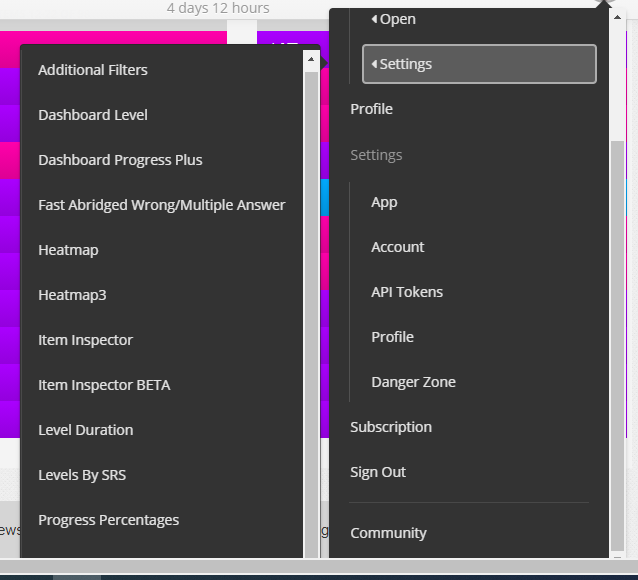
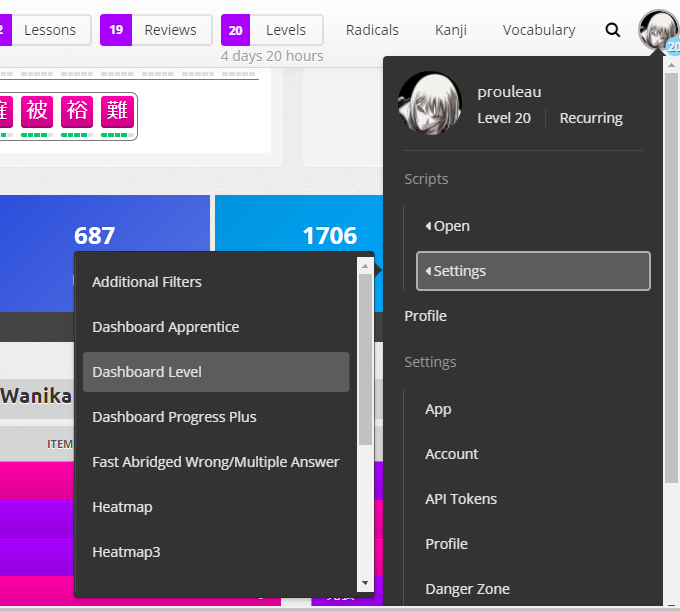
My list of scripts falls off the screen and the scrolling arrow too. I can’t scroll and access all my scripts settings. Is this an issue with Open Framework? I have an horizontal scroll bar at the bottom of my screen. Could this be the issue?
The number of scripts is not the issue. We should be able to scroll this list. There is a scrollbar for this (look at the screenshot) and I can’t use it. The scrollbar should be made to work.
It is a framework issue. Apparently, the framework is a victim of its own success
I don’t have time to work on it currently, but maybe someone with some CSS skill could take a quick look. If someone finds a solution, I’ll gladly add it to the framework.
I see one major issue : you don’t have any test nor CI. This is madness.
You really need to think about it, or you will have trouble in fixing regression bug,
Open Framework does have an optional validation function for inputs in the Settings dialogs, and you can return a message to be displayed when the input is invalid.
That’s good to know - it still might be useful to add the min and max support on number inputs - even though it’s no substitute for validation (you never know what sort of wacky browser you are dealing with, e.g. IE9)