This is a third-party script/app and is not created by the WaniKani team. By using this, you understand that it can stop working at any time or be discontinued indefinitely.
Requirements
General Script Installation instructions
Download Script
Description
RadicalGuessr allows you to enhance your kanji lessons, by giving you the chance to guess which radicals make up a kanji. Hopefully, this means better retention!

Incorrect Answer Demo
The hidden radicals flash red when you guess wrong.
GIF

Correct Answer Demo
The correct radical gets revealed if you guess correctly. Note that if there are multiple radicals with the same name, you will have to guess the same name twice (which is intentional).
Note: You can only guess the name displayed on the screen, not any of your own custom registered words for a radical.
GIF
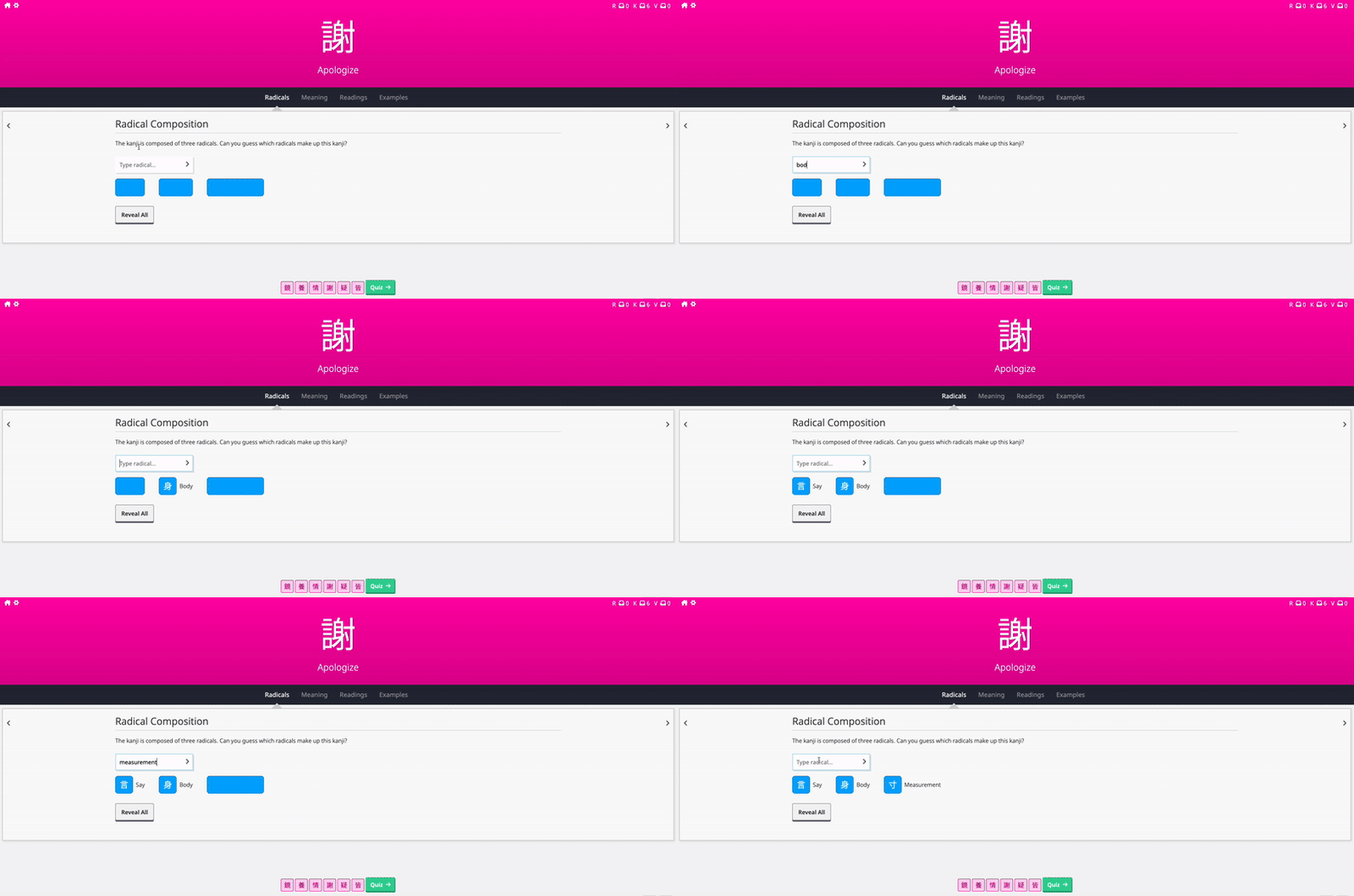
Levenshtein Distance Note
The answer checker uses the “Levenshtein Distance” to allow for any small typos. This is the same mechanism WaniKani uses in reviews when you accidentally misspell an answer.
Tap-To-Reveal Demo
Tap on any of the covers to reveal what’s behind.
GIF

Reveal-All Demo
Give up? Just tap Reveal All!
GIF
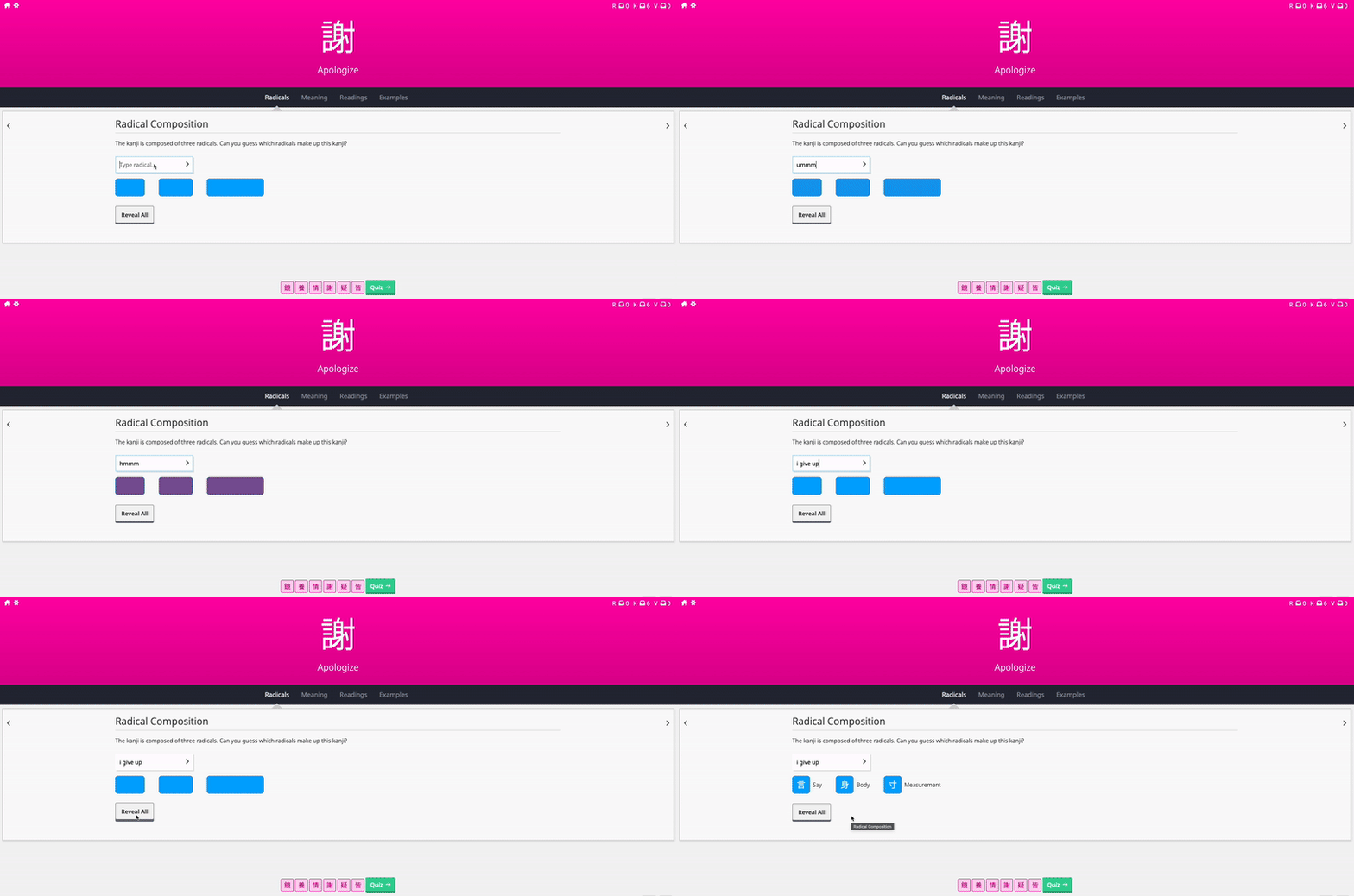
Extra Notes
I tried using as much of the existing WaniKani UI as possible to make sure the experience feels consistent to other places. The input is the same as the main quiz (just smaller), and you can use both the Enter key and the arrow button to submit your answer. The button is the primary button. The colours are all in the WaniKani palette.
The input only gets validated against the radical text that is there on the screen. This means that if you added any custom words for any of the radicals, they won’t get registered.
There is a small bug where if you refresh a page whilst on a lesson, it takes a second for the quiz to load up, and therefore you might see the radicals before they get covered up. This doesn’t seem to be a problem for when you’re coming to this page from the dashboard, or when navigating between lessons, just during refresh. This is mainly because the `turbo-load` event happens just a little bit too late, but putting the callback on any other event causes other issues. If anyone has any advice or suggestions, I’d be happy to hear them.
Miscellaneous
Motivation
I personally wanted something like this because
- It gives a chance to recall some radicals you may not have seen in a while.
- Making your brain work harder trying to spot the radicals hopefully means that the kanji sticks in your brain a little more!
- Gives practice of spotting weirdly-shaped/distorted/stretched/etc. radicals.
- It’s fun!
Feedback
Maybe goes without saying, but I would love any feedback on this, both general, UX, and code related. If there are any bugs, please report them in the thread or on GitHub. Can’t promise I will address everything though!
Upcoming Work
- Suggestions and improvements are welcome!
GitHub
You can find the GitHub repository here, in case you’d like to contribute.
GitHub - romans-boi/wk-radical-guessr: Userscript for WaniKani to guess the radicals in lessons.
Change Log
v1.1.0 - Implemented Levenshtein Distance for the answer checker, to allow for small typos.
v1.0.2 - Bug fix where the tooltip on the cover would still show the radical name and link. Now says ‘Tap to reveal’.
v1.0.1 - Bug fix where button would appear more than once on the screen.
v1.0.0 - Initial release.

 )
)
 ). If anyone knows of an easy way, let me know!