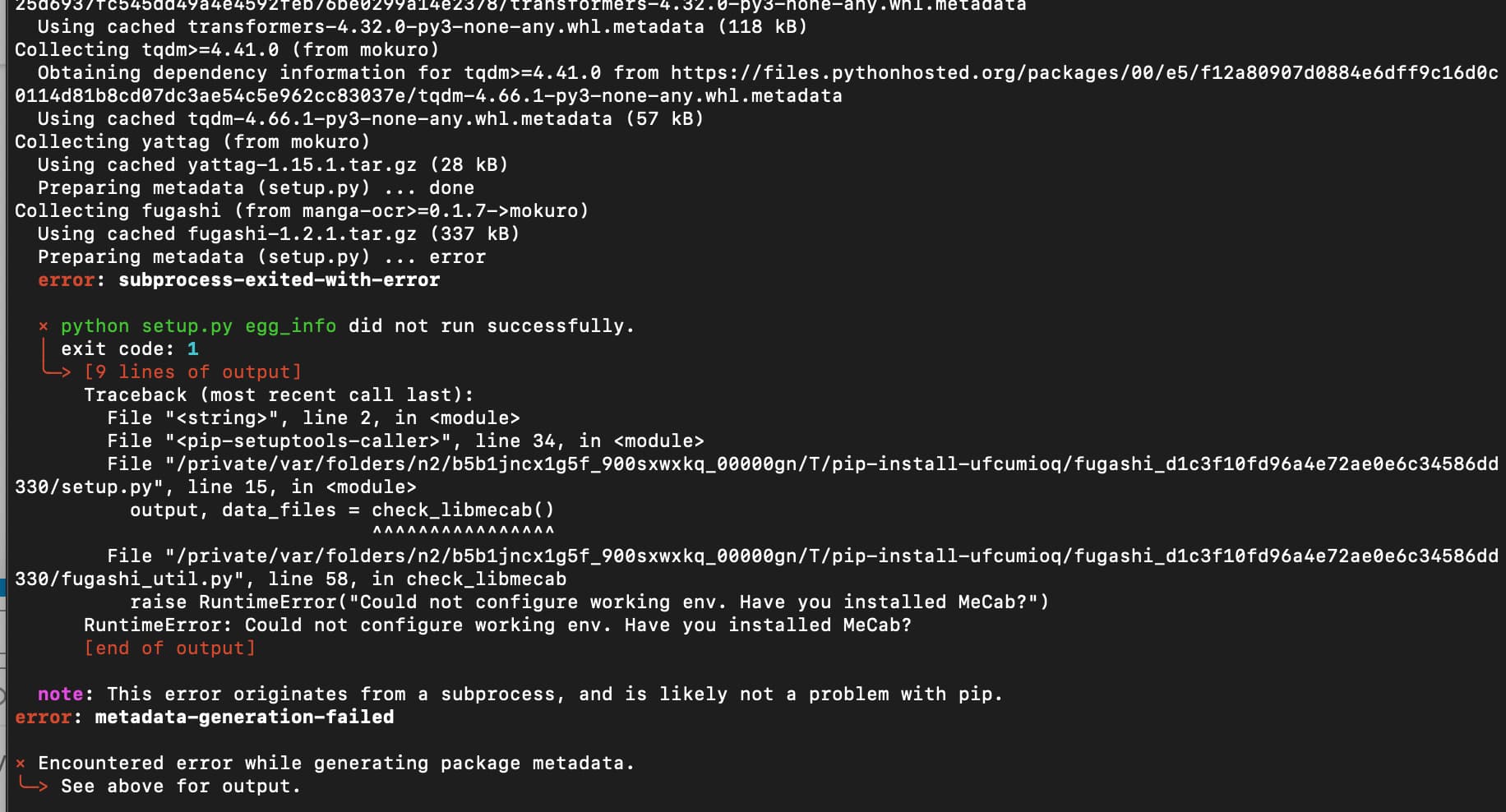
you might also need to run
$ brew install mecab
you might also need to run
$ brew install mecab
you typod mokuro again
Yeah…just realized that!
Ok, you will need to install homebrew too.
First run
$ /bin/bash -c "$(curl -fsSL https://raw.githubusercontent.com/Homebrew/install/HEAD/install.sh)"
This might take a bit, afterwards I recommend running
$ reset
to make sure everything is in place
Finally, you can run the brew command from earlier again
$ brew install mecab
And then try the install again
You can, it just doesn’t appear. it’s a common mac-linux pittrap. Just type it in blind
Give it a few minutes, go drink a coffee or something
Homebrew: 
Mecab:
pip3 install mokuro:
Just in case I want to undo all this…how can I uninstall Homebrew and the other stuff?
Try
$ pip3 install wheel
already satisfied!
Is it possible to uninstall homebrew again? (just want to make sure >_< )
You don’t need to, that’s currently not your issue. It is uninstallable, but it’s nice to have
You can maybe try a few things
$ pip3 install --upgrade pip3
And
$ pip3 install fugashi
The Upgrade did not work.
The second command gives me
I need to go offline now, will be back later. Thank you for your help so far…see you later
This should be solvable by doing
$ pip3 install --ignore-installed fugashi
It’s a slight bit of a nuclear option, but it should work
Sorry for the late reply. I finally was able to give this a try.
After entering the above command I got the following
After that I did a reset and ran the $ pip3 install mokuro and that worked just fine!!!
Then I tried the $ mokuro /path/to/XXX
After a short wile I got the following two errors
Do you have any idea what I did wrong?
The path you supplied isn’t right. That ‘/path/to/’ bit is a placeholder, not part of the actual path.
In macOS’ Terminal you can drag a file or folder into the window and it’ll insert the correct path for you. So just type 'mokuro ’ (including the space) and then drag the Hiromiya folder into the Terminal and run the resulting command.
LOL thank you!
Looks like it’s doing is job now