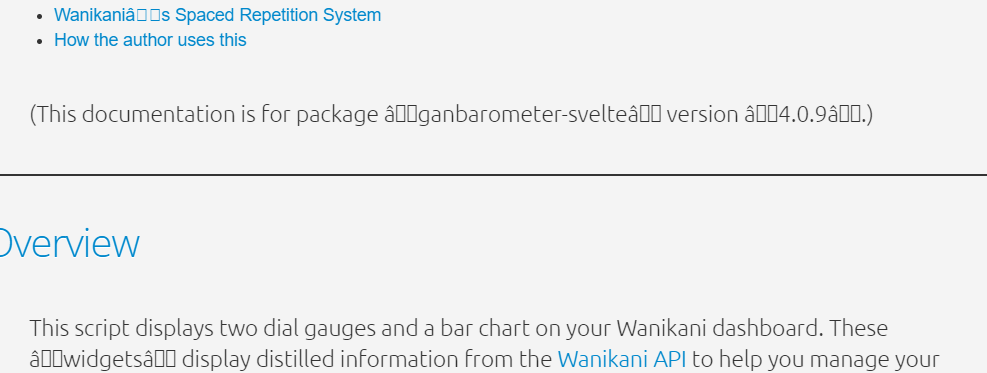
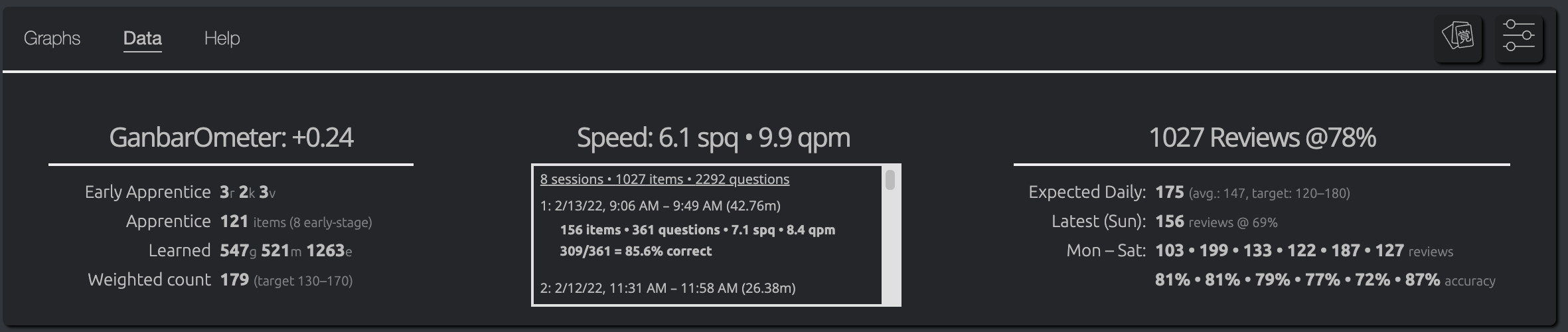
Hello! Thank you for making this script. However, the font appears to be broken for me:
What should I do?
Thank you!
Hello! Thank you for making this script. However, the font appears to be broken for me:
What should I do?
Thank you!
Yes, absolutely. But for lessons this is default behavior, no?
I’ll often pause doing lessons for a day or three once I start to see radicals/kanji for the new level in my lesson queue.
I don’t use the reorder script.
That’s odd. Have you tried disabling other scripts?
Can you tell me about your environment (browser, OS, anything else installed)?
The script doesn’t install or style any fonts. It should use the default fonts for lang=ja which is browser dependent.
Do kanji characters appear normal everywhere except with this script? I’m unsure what could possibly cause that.
I only have those two scripts installed:
(Came back from being overwhelmed with reviews a few years ago and restarted from scratch.)
The Japanese characters do appear correctly everywhere else.
I’m using Chrome on Windows 10.
Very odd. At this point I don’t even have a hypothesis, so my only additional suggestion is to shutdown and restart your browser to see if the problem persists.
You’re the first to have reported this problem, so I suspect it’s something to do with your environment, but it may take a bit of investigation to get to the bottom.
I’ll try to think of other debugging steps, but I’m mystified at the moment.
Do you have any other Chrome extensions installed other than Tampermonkey? It’s worth disabling them as well (as a temporary experiment).
I disabled every other extension and restarted the computer, but it doesn’t change anything. Other characters show up weirdly too:
This is making me suspect that the character encodings were somehow corrupted during installation.
How did you install the script? Did you cut-and-paste anything? Did you install via the URL option as described in the top post? Or did you browse to the raw github page and click “install” when prompted by tampermonkey?
I think the safest bet is to uninstall completely, then reinstall:
In the Tampermonkey Dashboard, navigate to the “Installed Userscripts” tab.
Click the trashcan icon next to ganbarometer-svelte.
Navigate to the new trashcan tab that should have appeared.
Click “Delete all”.
Follow the directions in the top post to reinstall.
Let me know if the problem persists. (Fingers crossed.)
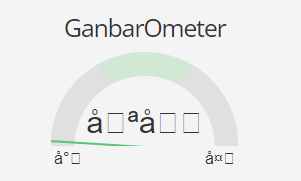
It’s better! Now it seems the only broken character is the central one:

What changed?
I visited this link to install it directly: https://github.com/wrex/ganbarometer-svelte/raw/main/published/v4/bundle.user.js
Before, I imported the URL.
Interesting, I’d have thought that was the most reliable method.
I think you’re now seeing a caching effect. Please restart your browser session again and see if it persists.
It makes no sense at all to me that it would display characters correctly in one place but not another.
Still doesn’t work. What if you give me what’s supposed to be displayed and I change it manually here?
Oh! That explains it.
When you had the broken script, it saved the corrupted values in your settings (stored locally by your browser). When you installed the uncorrupted script, it still used those saved settings.
Just click the default button, then save. I’m reasonably certain that will fix it.
Clicking “defaults” should make it look like this:
Oh yeah! It works! Thank you very much!
Having done this for several days now, I’ve discovered another benefit of only quizzing yourself this way on items in stages 1-2.
One problem with vocabulary meaning (in English) → reading drills is the very large number of synonyms. Because the self-study quiz basically just chooses which portion of the subject’s record in the API to quiz on (and which to accept as an answer) it ignores other subjects with the same or nearly the same reading (understandably — it would be a pain to handle to say the least).
If I saw the English word “criticism,” for example, I’d struggle to know which of the umpteen words I’ve learned that it was looking for.
But by restricting myself to just recently introduced items in stages 1-2, I tend to remember which one it’s looking for. Today, I saw “sacrifice fly” for example and knew it was asking for 犠飛 which was recently introduced rather than 犠打 from a much earlier lesson. (I know the latter is more precisely “sacrifice hit”, but “sacrifice fly” is an acceptable translation for either — nobody who understands the first thing about baseball is going to try to advance a runner with a ground ball!).
There will still be the rare occasion when WK introduces two words with the same english meaning at the same time, but at least it’s far less frequent of a problem.
Dunno if I can give the entire credit to self-study, but I got to 0/0 in my lesson/reviews queues today for the first time in a long, long while.
More observations after doing self-study of items in stages 1-2 every day…
Today I was surprised to see my Ganbarometer telling me to take it easy. Today was pretty hard as I had a whole bunch of enlightened items that I’d forgotten (overall accuracy sucked) but I didn’t really have that many Apprentice items in the queue. The display was at +0.24 (or about 75% to the right).
I leveled up to 43 just a few days ago and have just started seeing new kanji. While they still seem more difficult than regular items, the 3X weighting now seems excessive since I’m giving them extra focus (more repetitions with self-study). [To be fair, it still tells me to take it easy even if I set them to 1X because I have a lot of Guru items, but I definitely need to rethink how I’m weighting difficulty.]
So in addition to @kumirei’s thoughts several posts back, I’m rethinking how I calculate difficulty in the next revision. I’m now thinking I should consider the total number of incorrect answers for each item as well.
I’m still pondering, but I’m starting to suspect that trying to encapsulate both difficulty and quantity in the same metric may be a lost cause. My current thought is that as long as you get in a sufficient number of reviews for early stage items, incorrect answer counts give a better indication of “difficulty” than the type and stage of item.
There should be a sliding scale of some sort. One idea might be to consider some number of incorrect answer at each stage as “par”. More than that number of incorrect answers indicates a “difficult” item.
This definitely feels like something that belongs in a different gauge, though, and not encoded in the first gauge.
just a minor thing: would you ever consider increasing the range we can put for the QPM section?
asking because… well…
Do you really answer items in one second on average?
Looking back, this is probably flaming durtles messing it up, but my averages are 35-40 which are already beyond what the meter accepts as a normal range
Do you use anki mode?