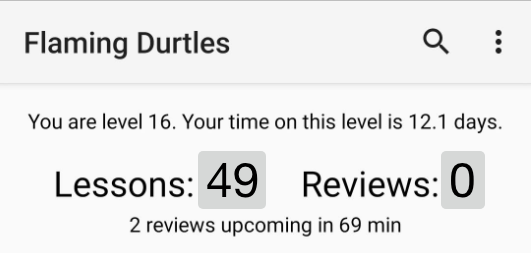
I have a really weird bug. It keeps giving me the same three reviews ad vitam eternam…
I finish it, go to the menu and just after it updates…BOOM, Three to go…but they’re the same…always T.T
what is wrong with it ?
PS: The rest is acting normal. Reviews on time and changing according to scores etc. so it’s only the three sames that stick eternally to the dashboard and reviews.
@ejplugge Just downloaded the app again. This time from the Play Store. To my amazement you have managed to add even more feature in this short amount of time. I’m in awe! Congrats and many, many thanks again!
Yes it works! 久 no longer keeps coming back. I finally attained 0 reviews
Can you tell me how you fixed this bug? You just now show an item if the user’s current level is less than that item’s level? So when I level up would I immediately see 久 in my reviews or will I see it after I learned it from the lessons?
Btw this app really is perfect, for reviews I use it even when I can use my laptop
Yes, that’s it exactly. The technical details: the app keeps a record of all of your assignments, and through that, every subject has a timestamp called “available_at” which is the date/time when the next review for that subject becomes available. When the kanji was moved to level 32, the Crabigator didn’t clear out the available_at date, so the app thought that it should still be offered for review.
The fix is that I added a restriction for reviews that the subject’s level must be lower than or equal to your level. So when putting together a review session, the app doesn’t “see” that kanji anymore.
If you know SQL, I changed “WHERE level <= :maxLevel” to “WHERE level <= :maxLevel AND level <= :userLevel”. (maxLevel is the maximum level that’s allowed by your subscription status.)
As soon as you hit level 32, that filter will suddenly match, and the kanji will properly show up in your queue again.
It was a very small fix, I just didn’t anticipate that it would be possible to have a subject with an available_at date that is still “out of reach” for your level. Normally this can’t happen because a subject normally doesn’t get an available_at date until you complete a lesson for it.
Downloaded it today and am already so happy with the opportunities it will give me! I’m going on a short trip so doing my reviews offline will be awesome.
Thank you so much!! I’ve wanted an app like this for so long!!
Oh ok that was an easy solution then. However it’s not perfect since when I reach level 32 but before I learn it again (if I don’t learn it immediately), it will keep appearing like before. Its status is actually Enlightened btw (the two vocabs were burned, that’s why i didn’t see them unlike others in this thread). The thing is in this situation even if i review it, Crabigator’s servers don’t accept the review so it stays that way. So in the few days (?) before I learn it again it’ll be like this morning where it will keep appearing in my reviews.
When I do learn it again tho it will probably be reset and it’ll go back to Apprentice.
I expect it won’t, honestly. I can’t speak for the WaniKani devs, but I suspect they deliberately left the kanji at Enlightened for you, so that you don’t have to re-learn it at 32. The moment you level up, it should just reappear in your queue as if it never left.
If they do want you to re-learn it, I certainly hope that they will then reset the available_at and started_at dates when you level up. Anything else just wouldn’t make sense.
The thing is before 久 was asking the kunyomi, ひさ, but now it askes the onyomi, きゅう. For this reason I was very confused when I first downloaded the app lol since I hadn’t learned this reading at all. Obviously now I memorized it but normally people don’t know it so i think it will be reset.
I still don’t get why they didn’t reset available_at and started_at during the update though. Just for a single kanji (and 2 vocab for others) they make us deal with this At least I learned a bit about how the Crabigator works.
So I downloaded this app and I love it. I wish it was there few years ago.
There are two things however I wanted to do and I am not sure if it is already possible or not.
1> I normally like to do reviews by type: Radicals > Kanji > Vocabulary. I tried with the advanced settings > review order by type but it always shows vocabs first for some reason.
2> I don’t listen to audio. In fact I don’t have use for them. Is there a way to stop the app from downloading audio forever? I don’t have much space in my mobile either way and it’d really help.
Review order “Type” should do exactly what you want to do. Just to double check: you don’t have reverse-order or overdue-first checked? And did you set the order for lessons or reviews? A lot of the advanced settings can be set for lessons, reviews and self-study separately, so there are three similar-looking groups of settings in there. If you set the order for lessons, that won’t affect reviews at all and vice versa.
If you have the latest version from the Google Play Store, you can. Near the top of the settings, there is a setting for auto-downloading audio. If you disable that, no automatic downloads will happen, you’ll only get audio downloads if you explicitly ask for it on the audio download screen.
Thanks for the reply.
As an additional question, if I want to do Radicals > Kanji > Vocabulary, sorted through level (lower to higher), what should I select?
Thank you for making this App, this was always the biggest bummer for me that you can’t do your reviews offline on Android
I live in a third world country concerning Internet at least (Germany ) … it’s bad! but now I’m able to do my reviews everywhere and also use the reorder script features (Reorder Abuse Jail for the win!)!


 At least I learned a bit about how the Crabigator works.